Import from a net that is on the air now
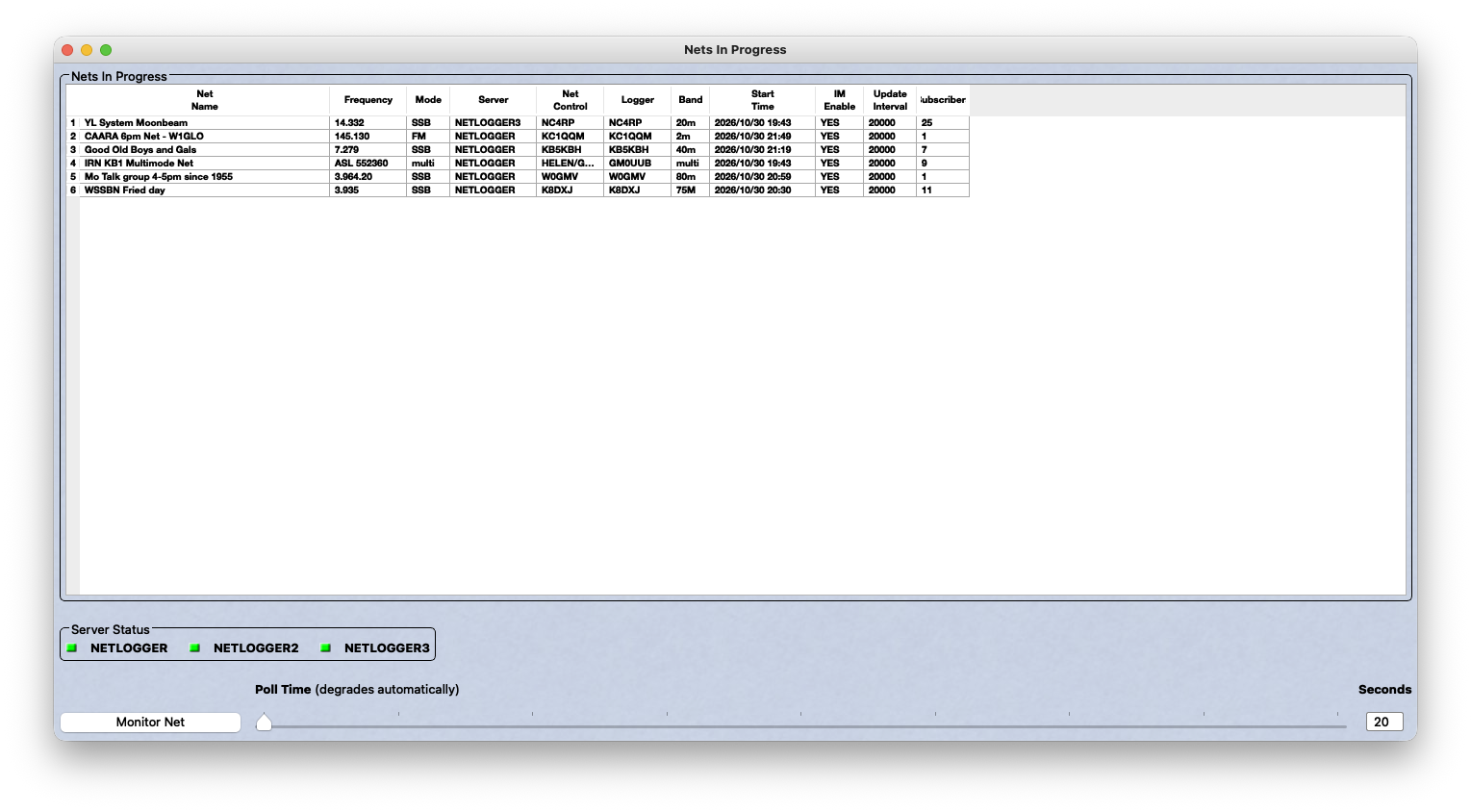
If you are checked into a net right now, you can make cards without exporting anything from your logger. Open /netlogger and QSL.now shows you the nets that are running on NetLogger's servers at that moment, grouped by server, with the net name, frequency, band, mode, and net control station. It is the same list NetLogger shows in its own Nets In Progress window, so it should look familiar.
Two words this page leans on. Net control is the station that runs the net, takes check-ins, and calls on each station in turn. A check-in is you telling net control that you are on frequency and listening. A check-in puts your callsign on the list, and that is all it does. It does not mean you talked with anyone else on that list.
This page is for one situation only: a net that is on the air while you work it, and the stations on it that you actually talked with. For anything else, the file to upload is an ADIF file (the standard log file that every logging program can export) of your logged contacts, which the NetLogger page walks through.
How it works
- Pick your net from the list.
- Type the callsign you operated under, the date and time of the contacts in UTC (the clock hams share around the world, so the time on the card matches the other station's log), and the signal reports you want on the cards. These apply to every card in this upload, and every row has its own time box if a contact happened at a different minute.
- Tick the stations you actually worked. Everyone is ticked to start with except net control, who is marked for you, so untick anyone you only heard.
- Click Make cards for the ticked stations.
Band, mode, and frequency come from the net header. Name, state, grid square, and member number come from each check-in. Your cards then go through the same design, preview, and send steps as an uploaded log.
NetLogger's check-in list also carries street addresses and other details about third parties. QSL.now reads only the callsign, name, state, grid, member number, status, and check-in number, and throws the rest away before anything is stored.
A check-in is not a QSO
A QSO is one contact in your log: you and the other station called each other and exchanged signal reports. A check-in is not that. When a station checks in, it tells net control that it is listening, and nothing passes between that station and you. A QSL card is a claim that a QSO happened, and the other station, and anyone checking an award, takes it at face value. So QSL.now never turns a check-in into a contact on its own. The time and the reports are yours to type, and only the stations you tick get a card.
Here is the test to apply to each row. You heard a station check in, net control acknowledged it, and later you took your own turn with net control, but you and that station never exchanged calls and reports with each other. That is not a contact, so no card. If net control later put the two of you together and you exchanged calls and reports on the air, that is a contact, so tick the box. If you are not sure, leave the box empty.
Why closed nets are not listed
NetLogger's public interface only hands out check-ins while a net is active. Once net control closes the net, asking for its check-ins returns an empty result, and there is no way to ask for a closed net by its number. We tested this before building the page rather than guessing, and that is why only nets on the air right now appear.
If the net closes while you are still ticking boxes, your form still works. Everything you need travels with the form, so QSL.now does not have to ask NetLogger again when you send it.
When the net has closed
Once a net has closed, its check-in list is of no use for cards, and QSL.now will not make cards from it. The list shows who told net control they were listening. It does not show who you talked with, and a card sent to a station you never worked is a card that station will not recognize.
What you need instead is your own log. The contacts you made while the net was running are already in your logging program:
- In NetLogger, if you clicked Log Contact when you worked each station, those contacts are in the Contacts table at the bottom of the main window. The check-in list above it is not your log, and it is not part of the export.
- In any other logger, they are wherever you logged them.
Export those contacts as an ADIF file (its name ends in .adi or .adif) and upload it at /start. The NetLogger page shows the export step by step. QSL.now reads standard ADIF from any logger, and a net contact needs nothing special beyond the call, date, time, band, mode, and reports.
If you worked stations during the net but never logged them, there is no file to export and nothing for QSL.now to read. Log those contacts in your logger first, with the real date and time from your own notes, and then export.
Either way you end up with the same cards, the same emails, and the same sending options as a live import.